Atmospheric Desires
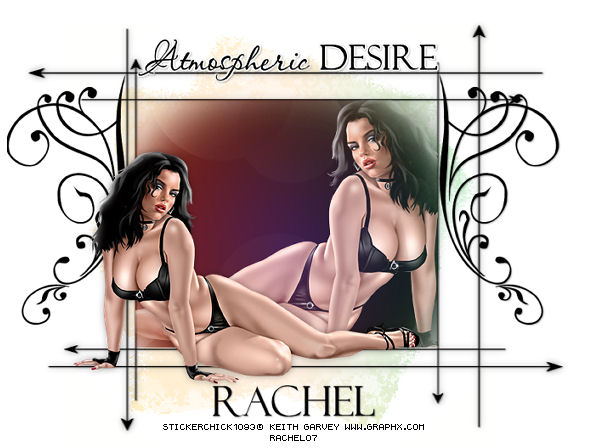
Supplies
Tutorial written using Paint Shop Pro 9, I'm sure it can be done in other versions.
To help you along with this tutorial I have added screen shots.
2 Masks - Becky_mask021 & Becky_mask019
You can download them Here
Thank you Becky!
Optional - Brushes.
Font - Felix Tilting / Passions Conflict.
Tube of choice.
I'm using the beautiful art of Keith Garvey, you must only use his art if you have a license
you can get one Here .
Filters
Colour Rave - Atmospherizer 1.1 Here .
Ok on with the tutorial.
Open up all your supplies & minimize for now.
1,Open up a new Blank canvas 700 x 600 [we can resize later] Flood fill white.,
Name this layer background.
Bring up your tube , paste as new layer & add a drop shadow :
Horizontal 0/Vertical 0
Opacity - 35
Blur - 12.00
Colour - Black
2, With your pen tool draw out some arrow lines using these settings:
Foreground - Black/ Fill - Null

So it looks like this:
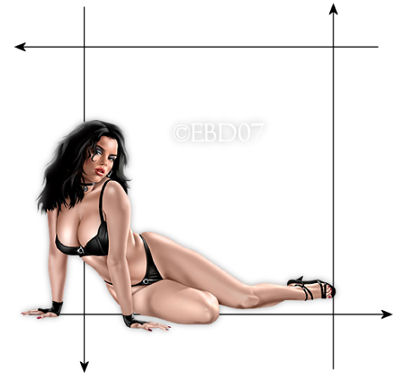
Make sure your tube is the top layer,
X out tube & background & merge all other layers visible, Rename this layer Arrows. Turn all layers back on.
On your Arrows layer go to Layers/Duplicate & Rename Arrows 2.
Click on the Arrow2 layer /Resize 85% Image/Mirror & place into position:
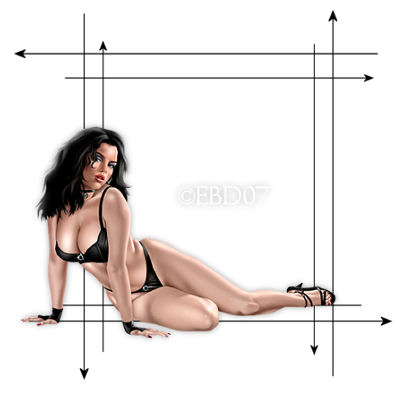
I stretched the arrows out using the deform tool:
make sure that you click on the Arrow layers separately when using the deform tool :o)
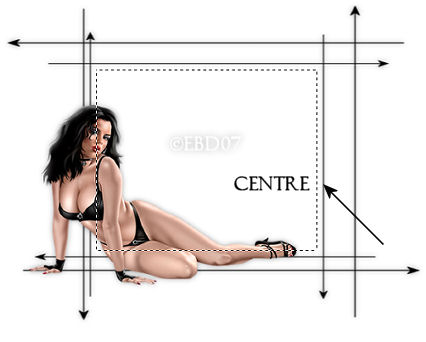
X out the tube & background layer & Merge the Arrow layers visible. Rename that layer Arrow.
Add the same drop shadow as in step 1.
3, Make sure you're on the Arrow layer & With your magic wand click inside the centre Arrow :
Use these settings:

So it looks like this :
Leave selected
Minimize for now & bring up a new blank canvas 500x500 & fill with the colour Black
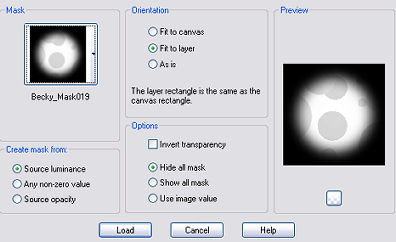
Layers/Load mask from disk/Find the Mask_019 use these settings:
Merge Visible.
Copy, bring up the other canvas & Paste the mask into the selected area.
Rename this layer Mask1.Make sure you're on the mask1 layer
Now go to Effects/Plugins/ Colour Rave/Atmospherizer1.1
use these settings:
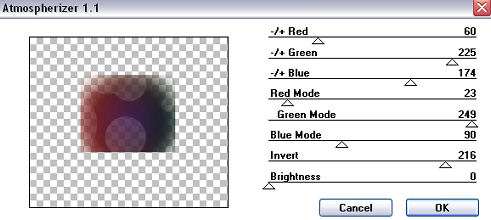
Click ok.
Bring up your tube Image/Mirror & paste as new layer/selections/Invert/DELETE.
On your layer palette Change the opacity to Screen.
Click back on the Mask 1 layer & Stretch it out with the deform tool to fit the sides.
4, Bring up a new 500 x500 Blank canvas & Fill with #C0C0C0
Layers/Load mask from disk/Becky_021 use same settings as in step 3.
Merge Visible.
Then Effects/Plugins/Colour Rave/Atmospherizer1.1 , use same settings as above.
Copy & paste as a new layer above your background layer, place into position.
Rename that layer Mask2.
I lowered the opacity of mask2 layer to 50, it's up to you..
I also added a new layer & some Brushes.
Now for our text
I typed the word Atmospheric DESIRE , You may choose whatever you wish!
Then added my name.
Add your watermark & © info, save as Jpg and were done !
Resize if desired.
I hope you enjoyed my tutorial as much as I did writing it !!!
If you have any problems feel free to E-mail me Here .
..Hugs Rachel..
Layout and Tutorial ©Rachel written on May 23rd 2007.
Any similarities to this tutorial are purely coincidental & unintentional.
Registered with Tutorial Writers Inc.
